

Introducing Cloudaware Backups for Google Compute Engine Instances and Disks
Cloudaware has had Backup and Replication module since the product has been in GA around 2012. Up until now Cloudaware Backup has only supported AWS EC2, EBS, S3 and RDS.
Over the past few months we saw steady flow of GCE customers who have been requesting on inquiring about GCE backup functionality and voila it is ready.
Just like with AWS, there are 4 ways to request backup service from Cloudaware.
Using Tags or Labels
This method gives DevOps most control. Simply add a tag that indicates what the backup policy is to the GCE Instance or Disk.
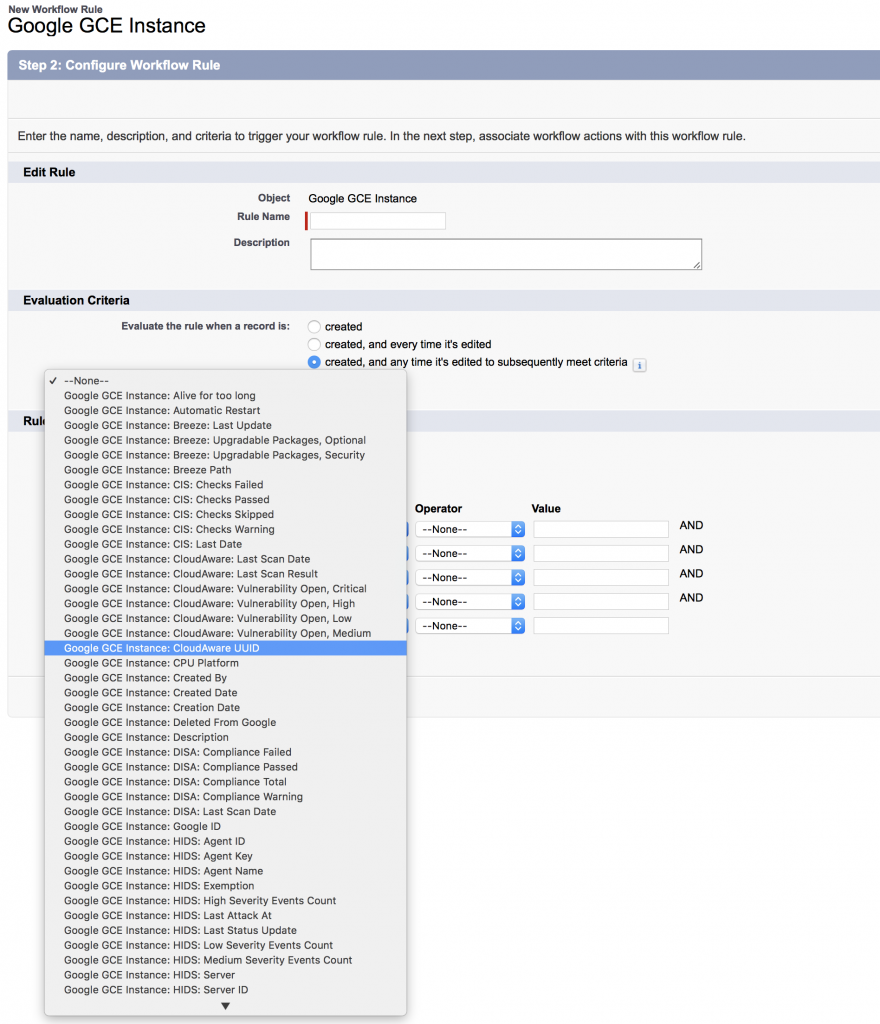
Using Workflow
You can apply a backup policy to an instance or a disk based on any property of the instance or disk such as project, name, label or any other attribute of the instance.
Using Project Default
This is the easiest method, we can able default backup policy for all instances and disks in a specific project. Users can overwrite proejct defaults by adding instance or disk specific backup policy.
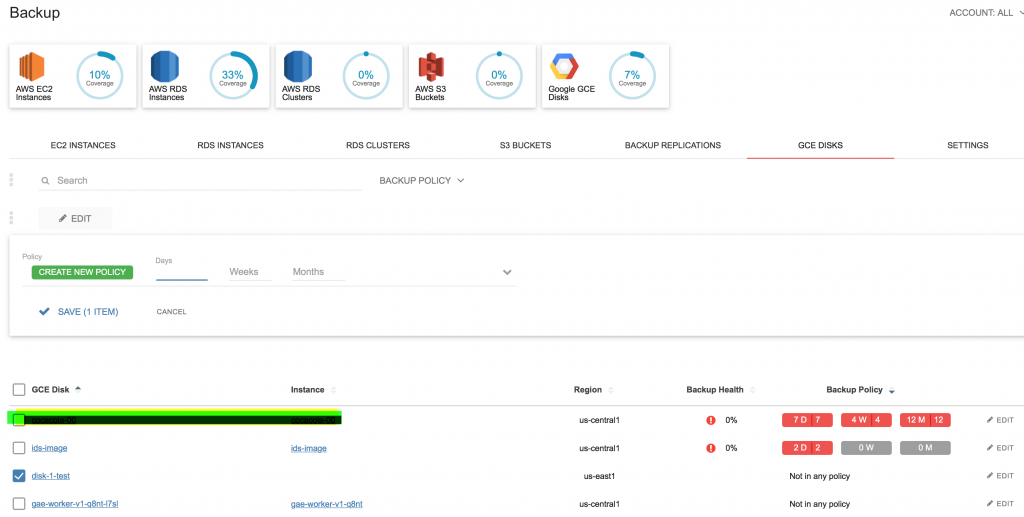
Manually
Users can apply backup settings to invidivual instances via Backup interface in Cloudaware management console.
Backup Status
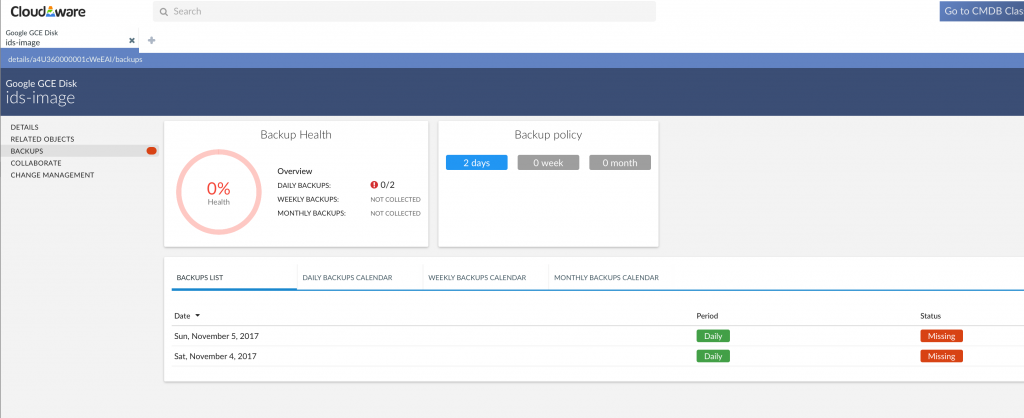
Users can see backup status for all objects directly on the backup console or on the individual objects.
Find out more about Cloudaware here.